
Less crowding at the counter
Visitors know their position and can wait comfortably instead of standing in line.
Skip the queue, not the consultation.
QToken hospital queue management software replaces crowded waiting lines with a calm, fair digital token system. Visitors get a token, watch their live position, and arrive right when their turn is near — no more standing in line to hold a place.
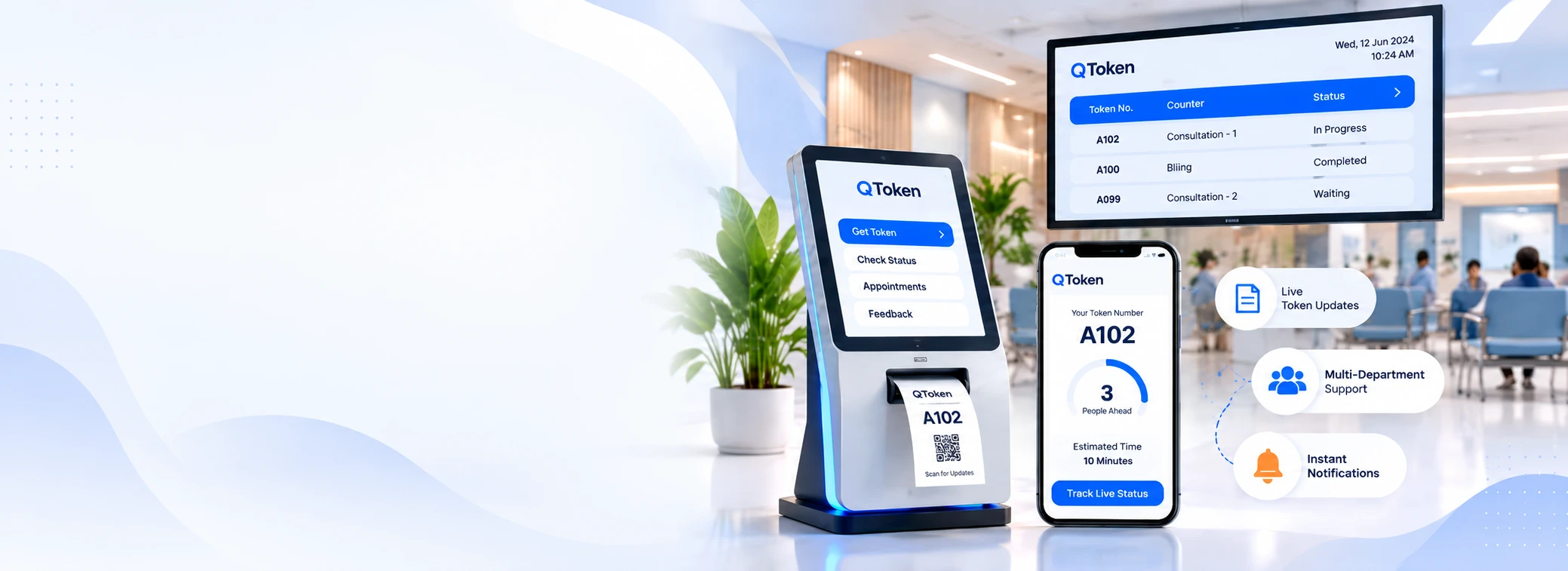
QToken hospital queue management software is built for clinics, banks, government offices, service centres and showrooms where visitors currently wait in a physical line for their turn.
A physical queue causes a familiar set of problems: visitors do not know how long the wait will be, staff spend time answering "how long more?", and the waiting area gets crowded near the front. Online doctor queue management with QToken solves this by giving every visitor a digital token the moment they arrive — from a kiosk, a staff counter, or their own phone.
Staff call the next token, a live display shows who is being served, and everyone can see the order is fair. As hospital token management software, it works the same way whether the counter is a reception desk, a pharmacy or a billing window.
Visitors know their position and can wait comfortably instead of standing in line.
A live queue display answers the question without staff repeating it all day.
Everyone can see the order tokens are called in, which reduces disputes.
SMS and WhatsApp alerts let visitors know when to head back to the counter.
How QToken hospital queue management software is organised, from the visitor's side to the front desk to the management view.
Simple & Hassle-Free Experience
Smart & Efficient Operations
Real-Time Insights & Control
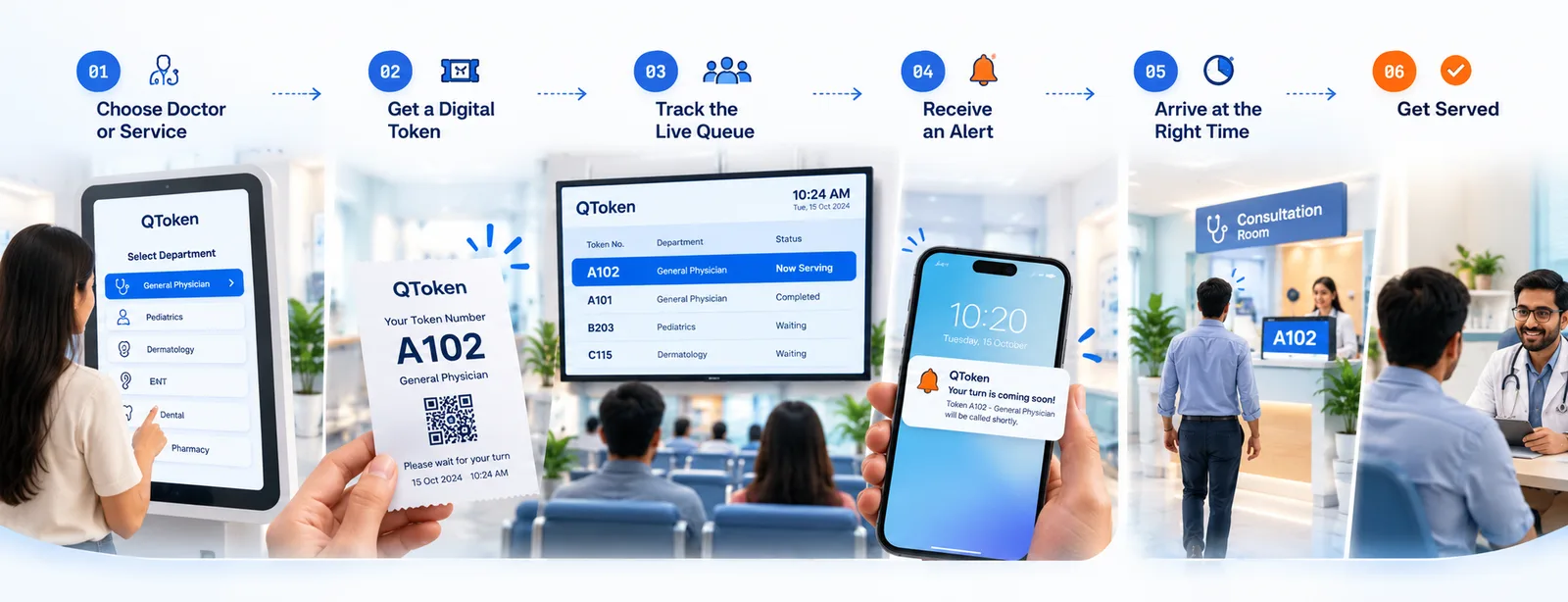
The everyday flow for a visitor using hospital token management software like QToken, from online doctor queue management to being served.
The visitor selects the doctor, counter or reason for their visit.
A token is issued instantly — from a kiosk, the counter, or their own phone.
The visitor watches the now-serving token and their position update live.
SMS or WhatsApp lets them know when their turn is approaching.
They return to the counter close to their turn instead of waiting in line.
Staff call the token and the visit begins, on a visibly fair system.
A straightforward setup built around your counters, services and busiest hours.
We review your counters, services and busiest hours.
Token series, counters and service rules are set up to match your layout.
Display screens, kiosk and alert settings are installed and connected.
We run test tokens through the full flow before real visitors use it.
Reception and counter staff are walked through the daily routine.
QToken goes live at your counters, ready for real visitors.
Tell us about your counters and busiest hours, and we will show you what QToken hospital queue management could look like at your premises.